








Stream 42,000+ IPTV channels online and 140,000+ movies in stunning 4K with your CloudVision IPTV subscription. The complete premium IPTV streaming solution for all devices — no satellite dish, no long contract, and no engineer visit to schedule around. Whether you're searching for a reliable IPTV subscription, a USA IPTV provider with real sports coverage, or simply a better way to watch live TV streaming without the cable bill, CloudVision is built to be the last IPTV service you need to compare against.
Every CloudVision IPTV subscription includes the same full channel line-up spanning news, entertainment, sports, movies, kids programming, and international content — no tiered channel packs to upgrade into later.
Major US news networks alongside regional and local affiliate channels, so you stay connected to national coverage and your own local market in one place.
A full spread of entertainment, reality, lifestyle, and documentary channels covering everything from prime-time favorites to niche cable networks you'd otherwise lose without a full cable package.
Channel packs from a wide range of countries and languages, ideal for households that want programming from a home country alongside standard US content.
A dedicated kids and family category with age-appropriate cartoons, movies, and series, kept separate from the general entertainment line-up.
Music video channels and radio-style stations spanning multiple genres, always available alongside your regular TV line-up in the same app.
Faith-based and community broadcasting channels for viewers who follow specific religious or community programming as part of their regular viewing.
Every channel sits inside a full Electronic Programme Guide, so browsing what's live right now — or what's coming up next — works the same way a traditional cable guide does. If there's a specific regional channel pack you rely on, message us on WhatsApp before or after subscribing and we'll confirm it's included in your setup. New channels and regional packs are added over time based on what subscribers actually ask for, so a request that isn't covered on day one is worth raising anyway.
NFL, NBA, NHL, MLB, UFC, Premier League, WWE, and most major PPV boxing and combat sports cards — all covered live as part of your standard subscription, at no extra cost.
NFL Sunday Ticket, NBA, NHL, and MLB games are covered live throughout the season, so you're not locked into a separate regional sports fee to follow your team.
UFC pay-per-view cards, WWE, and most major boxing events are included live — there's no separate PPV add-on to purchase on top of your subscription.
The Premier League and other major European football competitions are carried live, alongside international fixtures that local cable packages often leave out entirely.
Sports coverage runs through the same Electronic Programme Guide as the rest of your channel line-up, so checking what's on and when is as simple as scrolling through a normal cable guide — no separate app or subscription to juggle on game day. Multiple devices logged into the same household can also each follow a different fixture at the same time, so a shared living-room screen never has to be the only option.
Experience the best IPTV subscription with cutting-edge premium IPTV streaming technology. Each feature below reflects a real part of how the service is built, not a marketing checklist — from the app you install to the team you message when something needs fixing.
Watch on any device — Smart TV, smartphone, tablet, computer, or streaming box. Install the same login on a new device any time you upgrade, with no extra setup fee and no loss of access on your existing plan. Viewing history and channel favorites stay tied to the account rather than to any single screen.
Your subscription is activated as soon as payment is confirmed on WhatsApp — no waiting periods, no next-business-day delays. Your login details and device-specific setup instructions arrive in the same conversation.
Our server infrastructure is monitored around the clock, so channels and on-demand titles stay available exactly when you want to use them — including during peak evening hours and major live sporting events.
Reach a real person on WhatsApp any time, day or night, for setup help, billing questions, or a technical issue — no ticket queues, no chatbots, just the same support thread from signup onward.
Picture quality scales automatically between SD, HD, Full HD, and 4K Ultra HD depending on your connection and device, so every title looks as sharp as your setup allows without any manual switching.
A full Electronic Programme Guide shows what's live now and what's coming up next across your entire channel list, working the same way a traditional cable guide does — just without the cable.
Plenty of IPTV providers advertise a big channel count. What actually matters day to day is whether the stream holds up during peak hours, whether support answers when something goes wrong, and whether the price you saw at signup is the price you're still paying six months later. CloudVision is built around that reliability, not just a long channel list.
IPTV tends to appeal to a few different kinds of viewers. CloudVision is built to work well for all of them.

Leaving an expensive cable or satellite contract behind without losing the live-channel feel you're used to, and without a technician visit to schedule around.

One subscription covering the NFL, NBA, NHL, MLB, UFC, and international football, instead of juggling several separate streaming services and regional sports fees.

A constantly refreshed on-demand library across every genre, from new theatrical releases to full box sets of long-running series.
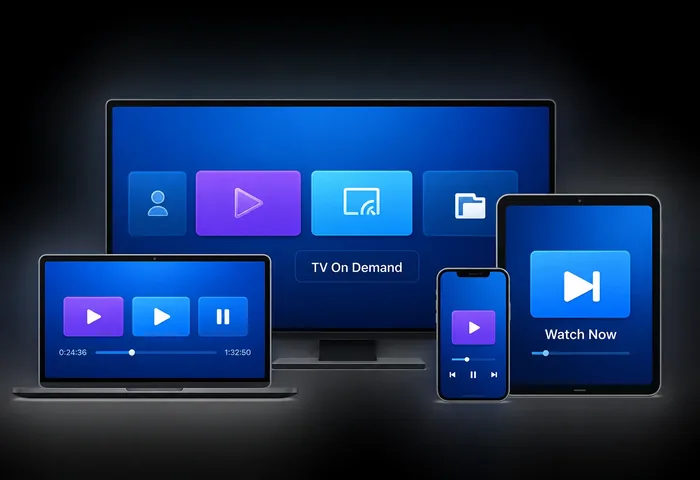
Different rooms, different screens, one login that follows you — start an episode on a phone and continue on the living room TV without switching services.
Whichever category you fall into, every CloudVision plan gives you the same channel line-up, the same on-demand library, and the same access to support — the only thing that changes between plans is subscription length and how much you save per month by committing longer. Households often fall into more than one of these categories at once, and CloudVision doesn't require picking a single use case to get full value from a subscription — a sports fan and a movie watcher under the same roof draw from the exact same library.
No new hardware to buy. Install a compatible player app on any of the devices below and you're ready to watch — the same login works across all of them.
Samsung, LG, Sony, and most other modern Smart TV brands support installing a third-party IPTV player app directly from their app store.
Phones and tablets on either platform run CloudVision through a lightweight player app, ideal for watching on the move or casting to a bigger screen.
Fire TV Stick, Fire TV Cube, and other Fire OS devices are among the most popular ways to run CloudVision on a TV that doesn't have its own app store.
Stream directly on a laptop or desktop computer through a browser-based or downloadable player, no additional hardware required.
Dedicated streaming boxes give you the smoothest big-screen experience, with the CloudVision app installing the same way it does on a phone.
If you already own a MAG-series set-top box or an Enigma2-based receiver from a previous setup, CloudVision can usually be configured to run on it directly.
Your login is tied to your account rather than to a single piece of hardware, so replacing an old streaming stick or upgrading to a newer Smart TV doesn't require a new subscription — you simply install the same player app on the new device and sign back in with the credentials you already have. If you're not sure which app suits a particular device, message support on WhatsApp and we'll point you to the right one before you spend time downloading the wrong one.
Select the subscription length that works best for you — 1, 3, 6, or 12 months. Every plan includes the same full channel line-up and on-demand library; the only difference is billing period and how much you save per month by committing longer.
Message us on WhatsApp to confirm your plan and pay using a card, PayPal, or crypto — whichever is easiest for you. A real member of our team confirms the order directly in the same conversation, not an automated form.
We send your login details and a quick setup guide for your specific device the moment payment is confirmed. Install the recommended app, sign in, and your full channel list and on-demand library load automatically. If anything doesn't look right on first launch, message support and it's usually resolved within minutes.
There's no engineer visit to book and no equipment to wait for in the mail. Because everything is delivered as data over your existing internet connection rather than a broadcast signal, the entire process above — from choosing a plan to your first live channel — typically takes a matter of minutes rather than the days a traditional cable or satellite installation usually requires.
Picture quality comes down to two things working together: our server infrastructure and your internet connection at home. Here's what to expect at each level.
Enough for older devices or background viewing where picture sharpness matters less than simply having something on.
The comfortable default for everyday viewing on Smart TVs and mobile devices, where most streaming naturally settles.
The sharpest tier CloudVision offers, best suited to larger screens and devices that support genuine 4K playback.
Content is distributed across multiple servers so that switching channels or moving between live TV and on-demand titles feels instant rather than sluggish. If your connection dips, quality adjusts automatically rather than freezing outright — and if you ever notice a drop that doesn't resolve on its own, our streaming quality FAQ covers the most common fixes. A wired connection to your router is always the more predictable option if a Wi-Fi signal has to travel through several walls to reach your TV.
All plans include full access to our entire content library. The only thing that changes between plans is how long your subscription runs for and how much you save per month by committing to a longer term — channel line-up, on-demand library, device compatibility, and support access are identical no matter which plan you choose. There is no cut-down starter tier and no higher-priced tier unlocking features that should already be included.
3 Month Subscription
12 Month Subscription
6 Month Subscription
Not sure which length to pick? Start with the shortest plan if you want to try CloudVision at the lowest upfront cost, or choose Premium Plus if you already know you'll be sticking around — the per-month price drops noticeably the longer you commit, and every tier gives you the exact same channels, movies, and series either way.
Every CloudVision plan includes the exact same channels, movies, and series — the decision really just comes down to how long you want to commit and how much you'd like to save per month.
Start with the shortest plan or the free trial. It's the lowest-cost way to confirm streaming quality and channel selection work for your household before committing to a longer term.
The Premium Plus 12-month plan carries the lowest cost per month by a wide margin — the right call if you've already used IPTV before or tried the free trial and know it fits.
Message our support team on WhatsApp before you subscribe — we'd rather point you to the plan that actually fits your household than have you overpay for a length you won't use, especially if you're comparing several IPTV providers at once.
Whichever length you choose, you can upgrade to a longer plan later and we'll credit your remaining time toward the new one, so there's no real risk in starting smaller and deciding to commit further down the line. There's also no penalty for choosing wrong the first time — plans aren't set to auto-renew, so a length that doesn't suit you simply ends rather than locking you in.
Traditional cable and satellite packages bundle channels you may never watch, tie you into long contracts, and often require a technician visit just to get started. IPTV flips that model.
Cable: schedule an installation window and wait for an engineer. CloudVision: install an app and start watching the same day, on a device you already own.
Cable: a rented box, sometimes a monthly equipment fee. CloudVision: runs entirely through an app on hardware you already own — nothing to rent or return.
Cable: a limited on-demand section, often a paid add-on. CloudVision: 140,000+ movies and 35,000+ series included in every plan, no extra charge.
Cable: usually tied to one room and one box. CloudVision: works anywhere you have an internet connection, on as many of your own devices as you like.
Because everything streams over the internet connection you already have, there's no installation appointment to schedule around and no box to replace if it breaks — if something goes wrong, support can usually resolve it remotely over WhatsApp instead of a callout. Moving house doesn't mean rescheduling an installation either; your login simply travels with you to the next internet connection.
Plenty of IPTV providers advertise a big channel count. What actually matters day to day is whether the stream holds up, whether support answers, and whether the price you saw at signup is still the price you're paying six months later.
Server infrastructure is monitored continuously, so channels and on-demand titles stay available exactly when you want them, including during peak evening hours and major live sporting events when demand spikes hardest.
Every conversation is with an actual person on WhatsApp, available 24/7 — no ticket queue to wait in and no automated chatbot deciding whether your issue is worth escalating.
Plans run from 1 to 12 months with no automatic renewal you didn't agree to — you decide when to renew, upgrade, or stop, and there's a free trial before you pay anything.
The price you see on the pricing table is confirmed with you directly on WhatsApp before you pay — no surprise fees added at checkout and no recurring charge you didn't agree to.
We'd rather you test CloudVision for yourself than take our word for any of this — the free trial exists specifically so you can judge streaming quality, channel selection, and support responsiveness before committing to a paid plan. If the service doesn't hold up during the trial, simply don't subscribe; there's no pressure and no follow-up sales call.
A few of the most common questions about CloudVision, covering setup, billing, and device compatibility in brief. The complete 44-question set is organized by category — devices, streaming quality, channels, sports, movies & series, and troubleshooting — on the dedicated FAQ page linked below.
Start with a free trial, keep the plan length that fits you, and cancel any time — join the growing number of viewers streaming 42,000+ live channels, 140,000+ movies, and 35,000+ series with a CloudVision IPTV subscription, anywhere in the world. No satellite dish, no rented box, and no long-term contract standing between you and live TV tonight.