Android is one of the most flexible platforms to run IPTV on, since the same core app setup works whether you're watching on a phone, a tablet, or a dedicated Android TV box connected to your main TV.
Phones and Tablets
Install the player app we recommend from the Google Play Store, sign in with your CloudVision login, and you're ready to stream. This is the fastest way to test the service during a free trial, since there's no extra hardware involved at all.
Android TV Boxes
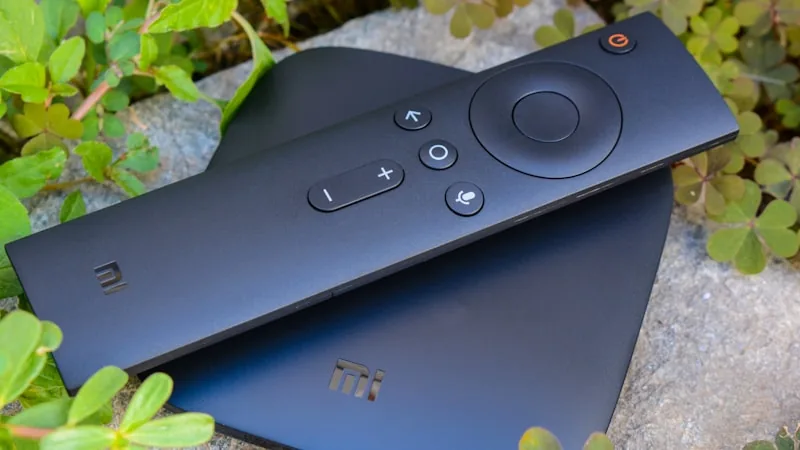
A dedicated Android TV box (or a device like an NVIDIA Shield) plugged into your TV's HDMI port gives you the smoothest big-screen experience, with the same app installing the same way it does on a phone. This is a good option if your TV itself is older and doesn't support installing apps directly.
Casting From a Phone to a TV
If you'd rather not install anything directly on your TV, most Android phones can cast or mirror their screen to a compatible TV or streaming device, which works fine for occasional viewing — though installing the app directly on a TV box gives more reliable long-term performance.
A Note on MAG Boxes and Enigma2
If you're coming from a previous IPTV or satellite setup and already own a MAG-series box or an Enigma2-based receiver, CloudVision can usually be configured to run on that hardware directly too — send us your device model on WhatsApp and we'll confirm compatibility.
Whichever Android device you use, your login stays tied to your account rather than the hardware, so you can move between a phone, a tablet, and a TV box without needing a second subscription.
Ready to try CloudVision for yourself?
Start Your Free Trial